

Building Vue applications usually means working with a UI library. You pick one like PrimeVue, install it, and start building. Everything feels good at first. You get beautiful components out of the box, import them, and move quickly.
Then reality hits. Your client wants the button to behave differently. Your design system needs a sidebar with custom spacing. A component you need simply isn’t there. So you start overriding styles, wrapping components, pulling in a second library because the first one doesn’t cover everything. Before long, the codebase is a mess.
This is the problem shadcn-vue solves.
The problem with traditional UI libraries
Most UI libraries work the same way. You install a package from npm, import components, and use them in your app. Simple in theory. Limited in practice.
When you use a traditional library, you accept their decisions. Their design language. Their component APIs. Their styling approach. If you need to customize something, you get limited options. CSS overrides are fragile. Props don’t go far enough. Component wrapping adds complexity. And if a component doesn’t exist, you either use something from another library (with incompatible APIs) or build from scratch while duplicating patterns.
The result is a codebase that becomes a patchwork of different approaches. What should be predictable becomes frustrating.
Introducing shadcn-vue: A different philosophy
shadcn-vue works differently from what you’re probably used to. The project puts it plainly: “This is not a component library. It is how you build your component library.”
Instead of installing a package and importing components from it, you copy the component code directly into your project. You own it completely. Modify it, extend it, customize it however you need. When the library updates, you decide whether to pull those changes or leave things as they are.
For Vue developers, this means something different. You keep control over your codebase instead of being dependent on a library’s constraints.
What is shadcn-vue?
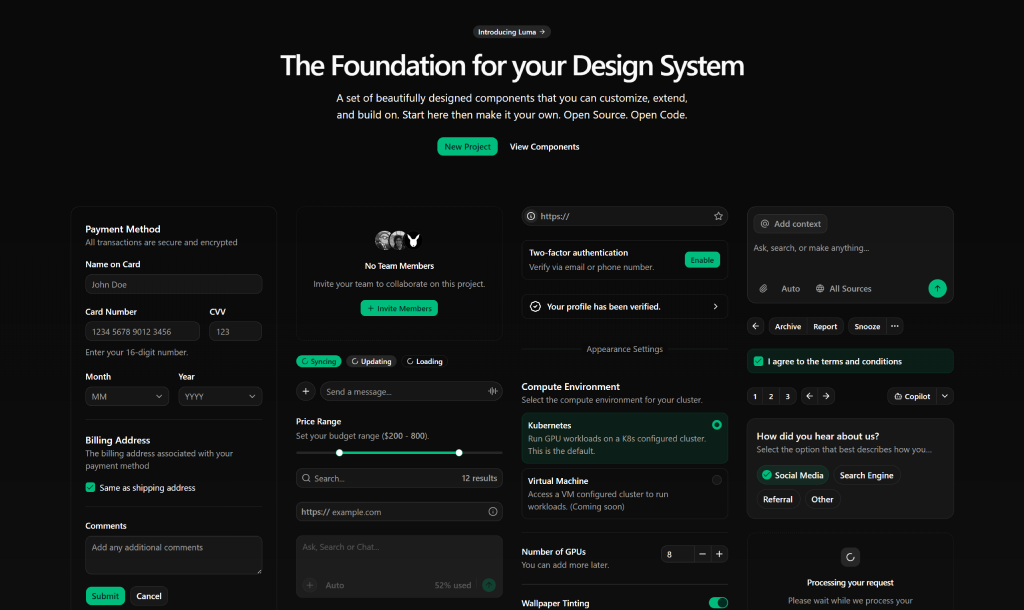
shadcn-vue is a collection of well-designed, accessible components that you copy into your project. It’s also a code distribution system with a CLI tool and schema that makes it simple to add, organize, and manage components.
Think of it as pre-built starting points for your UI rather than external dependencies. You get the code, the design, the accessibility work, and then you make it your own.
The project was created by the unovue team as a Vue port of shadcn/ui from the React ecosystem. It follows the same philosophy: open code, customization first, and built to work with AI tools.
Core concepts behind shadcn-vue
shadcn-vue is built on five key principles.
Open Code means you see exactly how each component is built. No hidden abstractions. Want to change how a button works? Open the file and edit it directly. This also means AI tools like Claude and GitHub Copilot can actually read your component code, follow your patterns, and generate new components that match what you already have.
Composition means every component uses the same interface pattern. You’re not learning a different API for each component. A popover works like a dropdown menu, which works like a custom component you add. This consistency helps your team and AI models understand and extend your system.
Distribution means the CLI tool gives you a simple way to add components. The schema is flat-file based. You can distribute your own custom components to other projects or let AI generate new components that fit your patterns.
Beautiful Defaults means components come with clean, minimal styles. You get a great-looking UI out of the box. Dark mode is built in. Charts, sidebars, and data tables work together as a system. But the defaults aren’t rigid. They’re just a starting point you can completely change.
AI-Ready means that working with AI coding tools becomes genuinely more useful. The components follow a consistent structure, so tools like Copilot or Claude can read your codebase, pick up your patterns, and generate new components that actually fit rather than clashing with what’s already there.
Key Features of shadcn-vue
Components
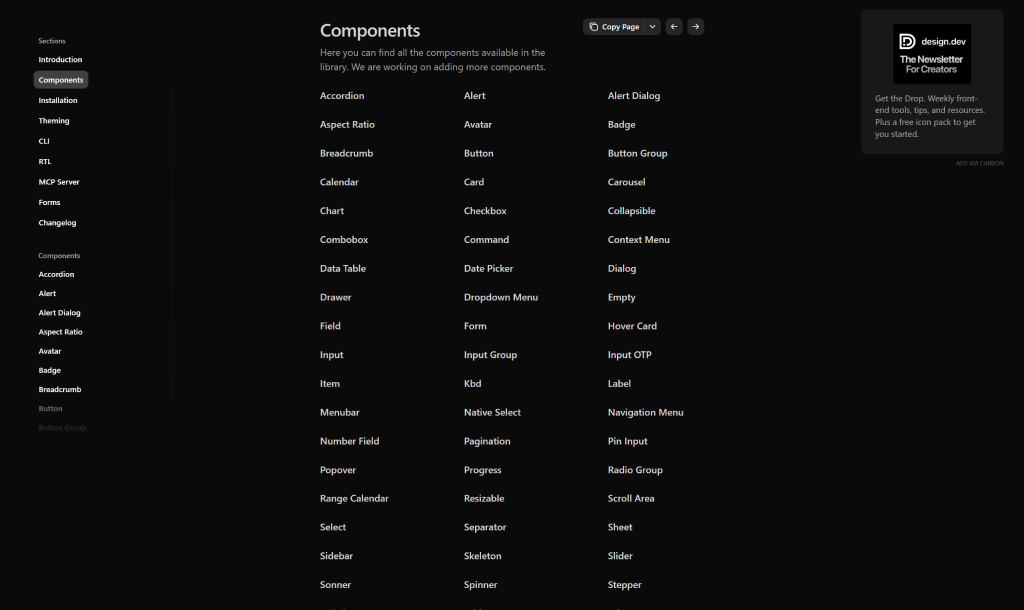
shadcn-vue includes a growing set of accessible components. What makes it useful is not the number of components but how consistent they are. Every component follows the same pattern, so picking up a new one feels familiar from the start.
You get form controls like Input, Textarea, and Select. Layout building blocks like Card, Tabs, and Sidebar. Feedback elements like Toast and Progress. Dialog and overlay components like Dialog, Popover, and Dropdown Menu. Data handling with Data Table and Pagination. And advanced pieces like Date Picker, Calendar, and Carousel.
The real advantage here is that you can copy a component into your project and immediately understand its structure because it matches every other component. That consistency matters more than raw count.
Blocks
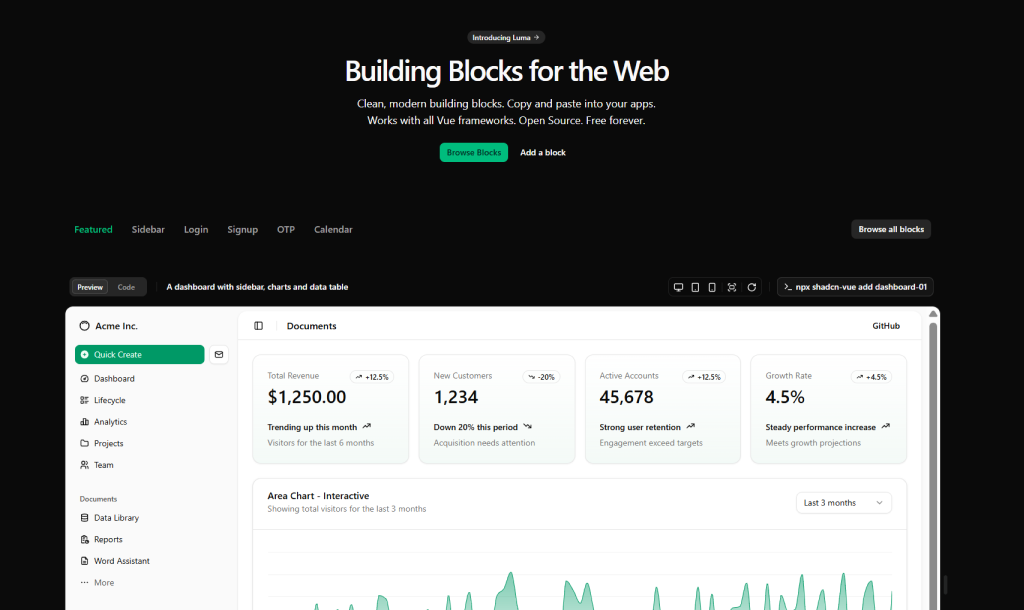
Blocks are pre-built sections and layouts built from multiple components combined into common patterns. Instead of building a login form or dashboard header from scratch, you copy a block into your project and customize it.
Common blocks include:
- Dashboard layouts with sidebars, headers, and data tables
- Login and signup forms with different styles
- Sidebar variations that collapse to icons or show submenus
- OTP input forms
- Calendar interfaces
- Card-based layout patterns
Blocks are useful because they show how components work together in a real interface. You’re not just seeing an isolated button. You see how buttons, forms, sidebars, and cards interact together.
Charts
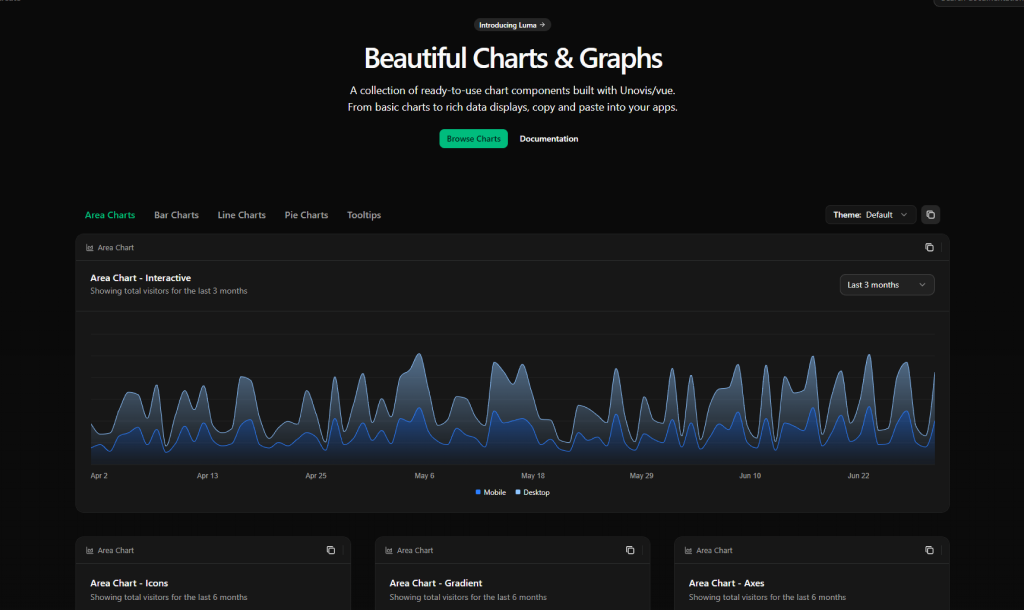
shadcn-vue comes with chart components built using Unovis and Vue. You get:
- Area charts in basic, interactive, gradient, and axis variations
- Bar charts with grouped, stacked, and horizontal options
- Line charts with custom styling
- Pie and donut charts
- Tooltips and legends for all chart types
Charts are built for both accessibility and customization. They use the same CSS variable system as the rest of your design system. Chart color tokens like chart-1 through chart-5 are built into the theme, so updating your color scheme automatically updates your charts.
Colors and Theming
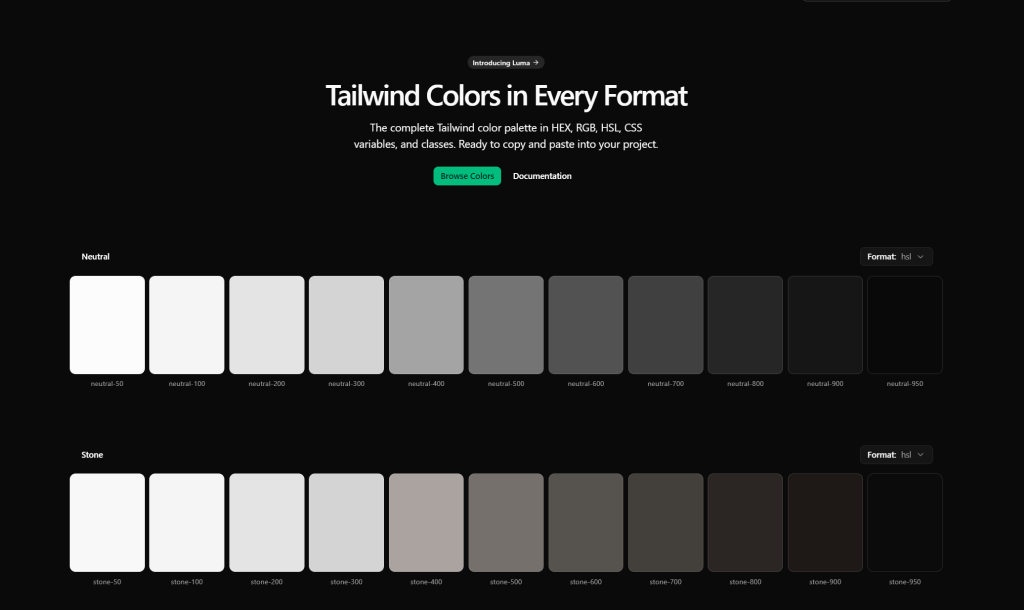
shadcn-vue’s theming approach is different from most libraries. Instead of forcing a color palette, it uses semantic tokens that represent intent rather than specific colors.
The tokens include:
- primary and primary-foreground for your main brand color and text on that color
- secondary, muted, accent, destructive for different UI states
- sidebar, sidebar-primary, sidebar-accent for sidebar-specific colors
- chart-1 through chart-5 for chart color palettes
All colors are defined as CSS variables, which means switching themes, adding dark mode, or maintaining multiple color schemes doesn’t require rebuilding anything. When you initialize your project, tailwind.baseColor lets you choose base colors like Neutral, Gray, Zinc, Stone, or Slate. From there, you can easily customize any token to match your brand.
How shadcn-vue works
Start by initializing your project with npx shadcn-vue@latest init. This works with Vite, Nuxt, Astro, Laravel, or manual setup. The command sets up your project, adds dependencies, configures your Tailwind CSS variables, and creates a components.json config file.
From there, adding a component is one command: npx shadcn-vue add button. The CLI copies the component code into your project, handles all the imports, and sets up everything you need. You now have the actual source code sitting in your codebase.
That’s the key moment. The component now lives in your codebase, not inside node_modules. Edit it, extend it, strip out features you don’t need. It belongs to your project.
When shadcn-vue releases improvements to components, you can pull those changes if you want them. But you’re not forced to. You control the updates on your own schedule.
The VSCode extension makes this smoother. You can initialize the CLI, install components, and browse documentation without leaving your editor.
shadcn-vue vs Traditional UI Libraries
The differences matter in practice.
| Aspect | Traditional Library | shadcn-vue |
|---|---|---|
| How you add it | npm install @library/ui | Copy code into your project |
| Customization | CSS overrides and limited props | Edit the code directly |
| Component updates | Library manages versions | You decide when to update |
| API consistency | Different for each component | Same pattern everywhere |
| Who owns design | The library | You do |
| Learning curve | Multiple APIs to learn | One pattern for everything |
| Styling | CSS-in-JS or scoped styles | Tailwind utility classes |
| File size | Everything you don’t use | Only what you copy |
| Theming | Theme providers and overrides | CSS variables, simple |
With a traditional library, you’d wrap the button component to change its behavior. With shadcn-vue, you edit the button code directly. That’s the practical difference.
Why shadcn-vue is gaining traction
Developers are choosing shadcn-vue for practical reasons, not theoretical ones.
The customization-first philosophy works because it accepts reality. Your app will need customization. Building on top of open code feels natural instead of fighting abstractions. You’re not overriding styles or wrapping components to make them work for you.
The AI angle matters here. Tools like Claude and GitHub Copilot can read your component code, understand your patterns, and generate new components that fit your system. That’s only possible with open, consistent code. Traditional libraries hide implementation details that prevent this kind of collaboration.
Design systems are built better this way. Teams can distribute custom components across projects using the same schema. You’re not locked into a library’s vision of what your UI should be.
Ownership is real. Your components live in your codebase, not in node_modules. If shadcn-vue goes unmaintained, your app still works. You’re not dependent on a library’s business decisions or release schedule.
The framework flexibility matters to teams using Vite, Nuxt, Astro, and Laravel. The components are just Vue code, not abstractions tied to a specific framework. You copy code that works everywhere.
Ready to Give shadcn-vue a Try?
If you’ve spent time fighting UI libraries, shadcn-vue is worth a look. The philosophy is simple: your code comes first. Copy the components you need. Customize them without asking permission. Build your design system your way.
Start on a small project. Run the init command. Add a button or two. Notice how the code is predictable and straightforward. Then expand. Most teams find that after a few components, the pattern clicks. You understand exactly how things work because the code is right there.
The approach isn’t revolutionary. It’s just different from what most libraries have been doing. And for teams tired of fighting their tools, different is exactly what works.
Resources
- Official Documentation: https://www.shadcn-vue.com/
- GitHub Repository: https://github.com/unovue/shadcn-vue (9.7k+ stars)
- Components Catalog: https://www.shadcn-vue.com/docs/components
- Blocks (Pre-built layouts): https://www.shadcn-vue.com/blocks
- Charts & Graphs: https://www.shadcn-vue.com/charts/area
- Color & Theming Guide: https://www.shadcn-vue.com/docs/theming
- Installation Guides: https://www.shadcn-vue.com/docs/installation (Vite, Nuxt, Astro, Laravel, Manual)
- VSCode Extension: https://marketplace.visualstudio.com/items?itemName=Selemondev.shadcn-vue (by Selemondev)
- Project Creator: https://github.com/unovue (unovue – ported from shadcn/ui)
- Watch: https://vueschool.io/lessons/what-is-shadcn-vue (Vue School intro video)






Comments