


Vuetify has always been an excellent choice for building Vue applications. However, with today’s front-end development trends leaning more towards adaptability and speed, they have created something entirely new: Vuetify Zero (Vuetify 0).
Different from conventional UI frameworks, Vuetify Zero is not concerned with pre-built UI components. It is a headless, composable framework designed to give users full control over their UI even as they base their logic and accessibility on solid ground.
What is Vuetify Zero?
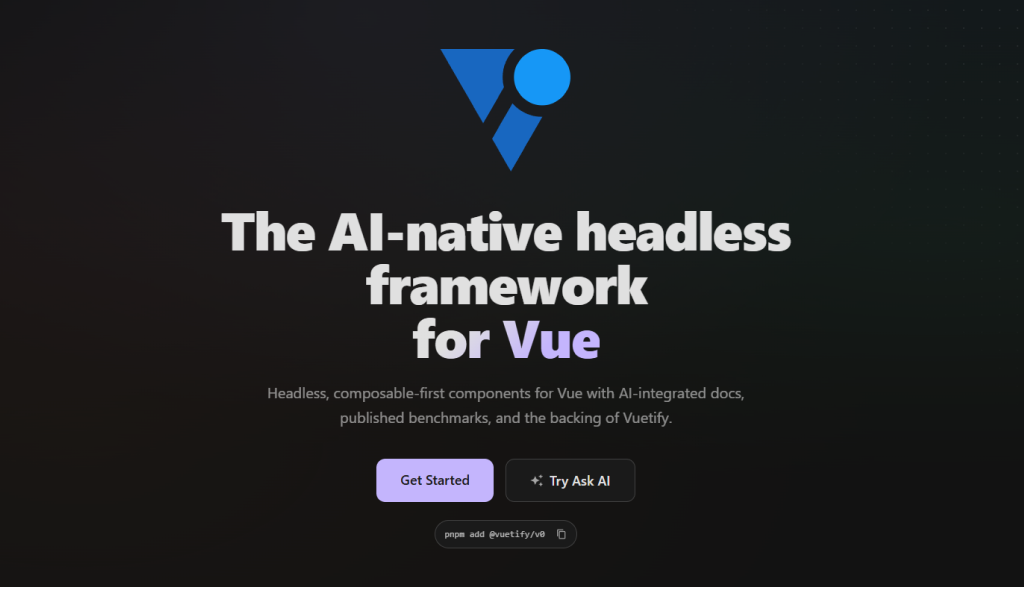
Vuetify Zero is a headless UI framework for Vue 3 that provides unstyled primitives, rather than offering pre-styled components offered by classic Vuetify.
In simple terms:
- It manages behavior, accessibility, and logic
- You manage the styles and the design
This means now developers can have complete freedom when designing the user interface.
Why Vuetify0 was created
The traditional UI frameworks always have some drawbacks:
- Opinionated styling (Material Design, etc.)
- Difficulty customizing UI
- Extra CSS and bundle size overhead
But Vuetify0 addresses all these concerns through its agnostic approach to styling.
It offers:
- Headless composables
- Unstyled components
- Reactive primitives
It works great for:
- Custom design systems
- Scalable applications
- Teams that need flexibility
Who is the creator of Vuetify0?
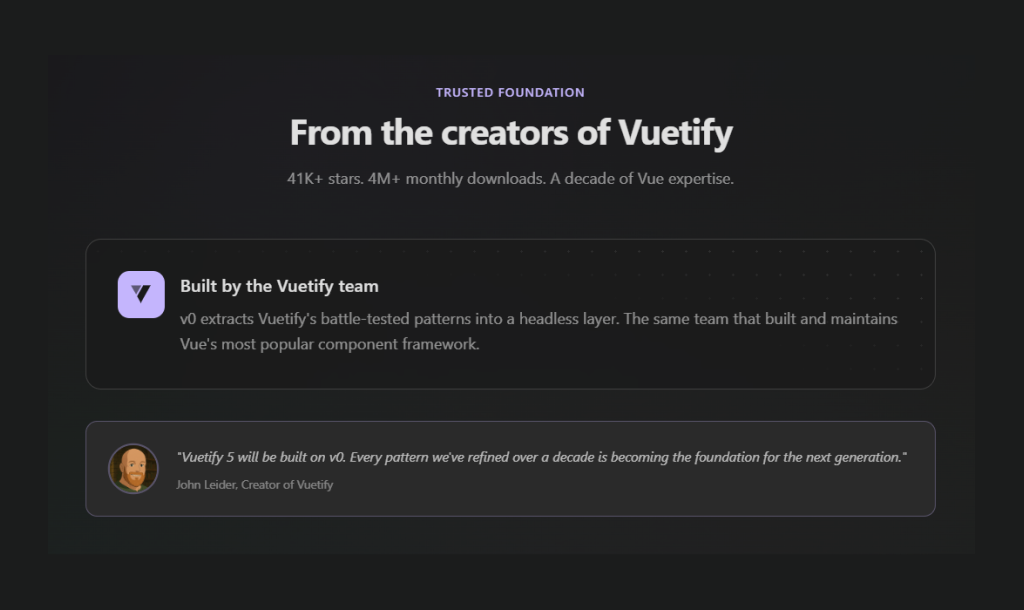
Vuetify0 is created by the Vuetify team, led by John Leider, the original creator of Vuetify.
Core Features of Vuetify Zero
1. Headless & Style-Agnostic
The styling is not provided by Vuetify Zero:
- No CSS framework included
- No predefined UI appearance
- No forced design system
Use any of the following at will:
- Tailwind CSS
- UnoCSS
- Plain CSS or modules
All components come with zero styles and need additional styling.
2. Composable-First Architecture
Vuetify0 is built around Vue’s Composition API.
It offers:
- 60+ composables
- Reactive primitives
- Modular logic
These are:
- Tree-shakeable
- Independently importable
- Highly reusable
You only ship what you use, which improves performance and keeps bundles lean.
3. Accessibility Built-In
Accessibility is handled at the core:
- Keyboard navigation
- ARIA attributes
- Focus management
This removes the need to manually implement accessibility in every component.
4. Plugin & System Architecture
Vuetify0 includes a flexible plugin system that extends functionality.
Examples include:
- Localization (useLocale)
- Logging
- Breakpoints
- Theming
Features can automatically enhance themselves when plugins are present, making the system highly scalable.
5. Performance by Design
Performance is a core focus:
- No runtime CSS
- Tree-shaking support
- Lightweight architecture
Only the code you use is included in your application.
6. AI-Native Ecosystem
Vuetify0 is created for contemporary, AI-driven development environments.
Its main attributes are as follows:
- MCP server
- AI-compatible documentation
- Inbuilt “Ask AI” functionality in the docs
- Machine-readable files, such as SKILL.md and llms.txt
This software is not only meant for developers but also for machines.
Getting Started with Vuetify0
You can quickly scaffold a project using:
pnpm create vuetify0
Or:
pnpm dlx @vuetify/cli init --type vuetify0
This sets up a project with:
- UnoCSS
- Theming support
- Example components
Requirements:
- Vue 3.5+
- Node 22+
Manual Setup
To add v0 to an existing project, follow the steps below.
Create Vue Project
pnpm create vue@latest
Installation
Install @vuetify/v0 with your preferred package manager:
pnpm add @vuetify/v0
Create a plugin file to configure v0:
src/plugins/vuetify0.ts
import { createThemePlugin } from '@vuetify/v0'
import type { App } from 'vue'

export default function vuetify0 (app: App) {
  app.use(
    createThemePlugin({
      default: 'light',
      themes: {
        light: {
          dark: false,
          colors: {
            primary: '#3b82f6',
            surface: '#ffffff',
            'on-primary': '#ffffff',
            'on-surface': '#212121',
          },
        },
      },
    }),
  )
}
Register the plugin in your app entry:
src/main.ts
import { createApp } from 'vue'
import App from './App.vue'
import vuetify0 from './plugins/vuetify0'

const app = createApp(App)

vuetify0(app)

app.mount('#app')
Usage
Import and use components directly – no plugin installation required:
Vue
<script setup lang="ts">
  import { ExpansionPanel } from '@vuetify/v0'
  import { shallowRef } from 'vue'

  const expanded = shallowRef([])
</script>

<template>
  <ExpansionPanel.Group v-model="expanded" multiple>
    <ExpansionPanel.Root value="item-1">
      <ExpansionPanel.Activator>
        Section 1
        <ExpansionPanel.Cue />
      </ExpansionPanel.Activator>

      <ExpansionPanel.Content>
        Content for section 1
      </ExpansionPanel.Content>
    </ExpansionPanel.Root>
  </ExpansionPanel.Group>
</template>
Components are completely unstyled. Add your own classes using Tailwind, UnoCSS, or plain CSS.
Styling
v0 is style-agnostic. Choose your preferred CSS framework and map theme colors to v0’s CSS variables.
UnoCSS
UnoCSS is our recommended choice for its speed and flexibility.
1. Install
pnpm add -D unocss @unocss/preset-wind
2. Configure
uno.config.ts
import { defineConfig, presetWind } from 'unocss'

export default defineConfig({
  presets: [presetWind()],
  theme: {
    colors: {
      primary: 'var(--v0-primary)',
      surface: 'var(--v0-surface)',
      'on-primary': 'var(--v0-on-primary)',
      'on-surface': 'var(--v0-on-surface)',
      // Add more theme colors as needed
    },
  },
})
3. Add Vite Plugin
vite.config.ts
import UnoCSS from 'unocss/vite'

export default defineConfig({
  plugins: [
    vue(),
    UnoCSS(),
  ],
})
4. Import Styles
src/main.ts
import 'virtual:uno.css'

Now use utility classes in your components:

<template>
  <button class="bg-primary text-on-primary px-4 py-2 rounded">
    Click me
  </button>
</template>
What technologies does Vuetify0 work with?
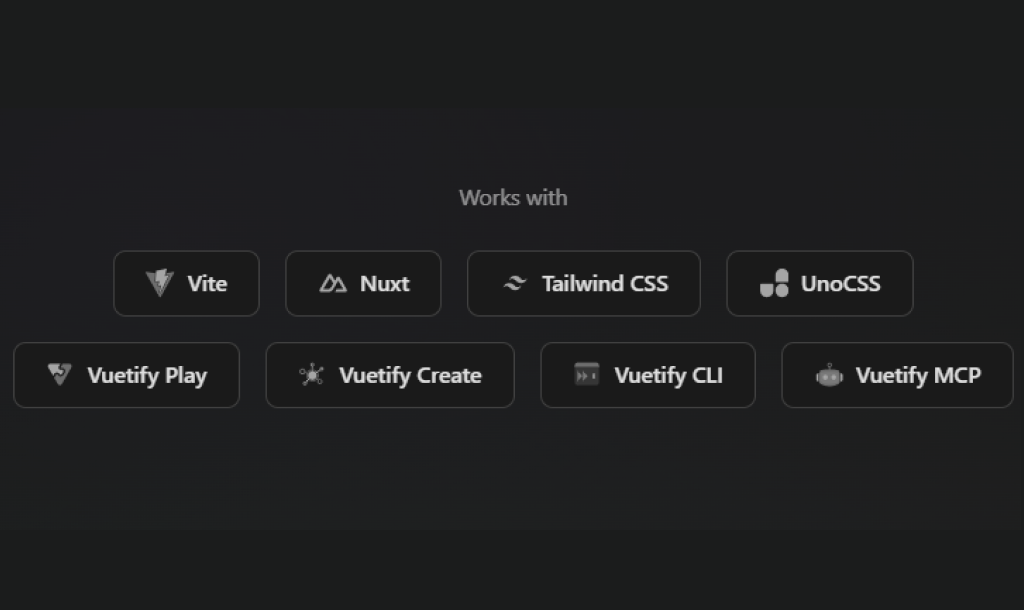
Vuetify0 works well with Vite, Nuxt, Tailwind CSS, and UnoCSS.
It also includes tools like Vuetify CLI, Vuetify Play, and Vuetify MCP to make development faster and easier.
Developer experience
Vuetify0 changes how UI is built.
Instead of using pre-built components, you:
- Use composables for logic
- Create your own structure
- Apply custom styling
It gives you full control over how your UI behaves and looks.
The documentation also includes:
- Interactive playground
- Live examples
- Built-in AI assistant
Vuetify0 support AI-first development
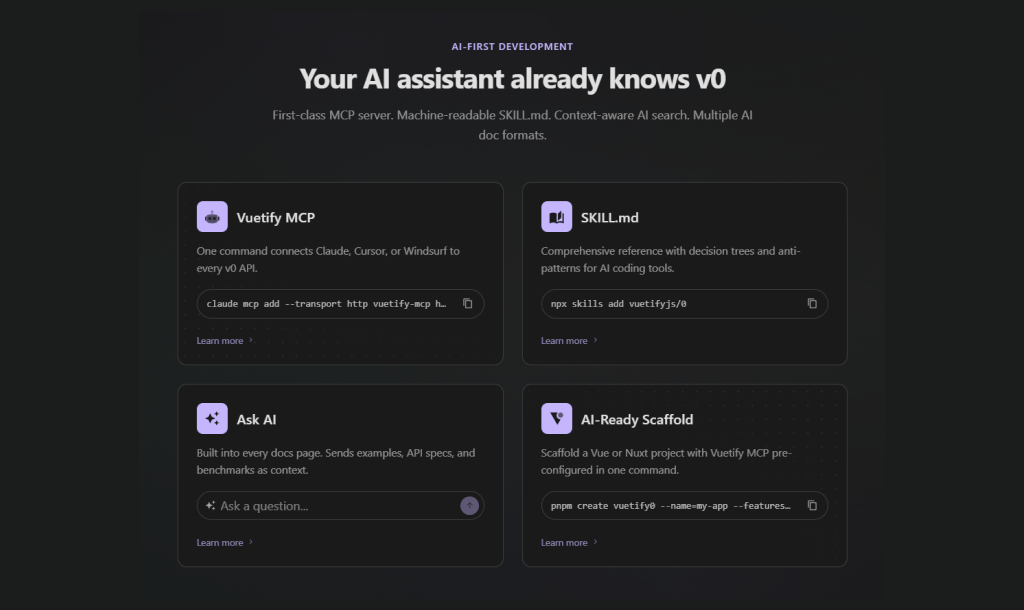
Vuetify0 comes with MCP to easily connect AI assistants, uses SKILL.md for clear, structured guidance, and also includes an Ask AI feature for quick help + an AI-ready scaffold to get your project up and running faster.
Vuetify0 vs Traditional Vuetify
Vuetify itself is being rebuilt on top of Vuetify Zero, showing its importance in the ecosystem.
When to use vs when not to use
Performance Benchmarks
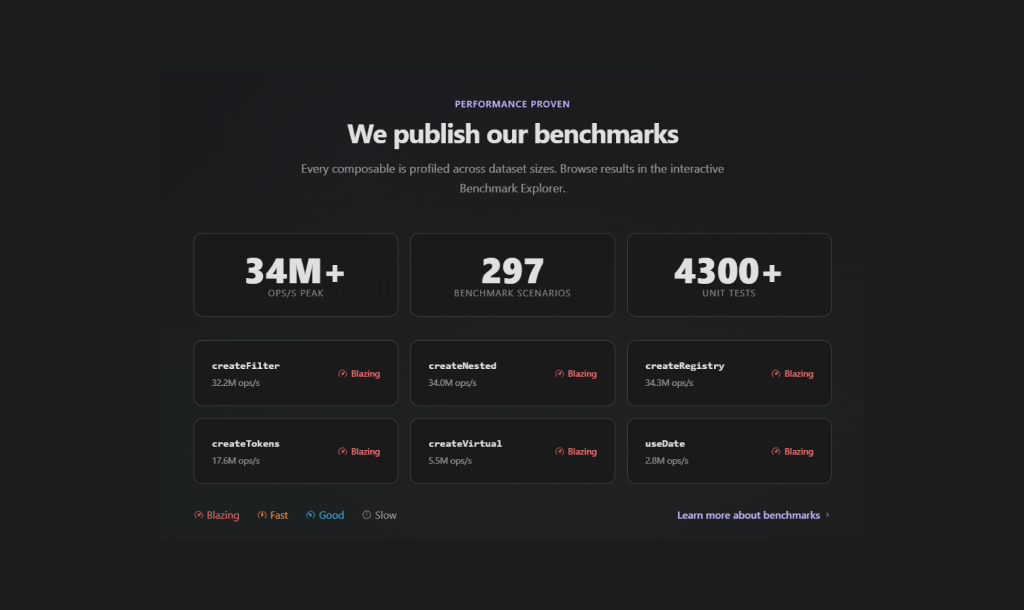
Vuetify0 is designed to be fast and reliable, and its benchmarks are openly shared to prove it. It can handle millions of operations per second, runs hundreds of test scenarios, and passes thousands of unit tests.
Key parts like createFilter, createNested, and createRegistry are highly optimized, showing that Vuetify0 is built to stay fast even in large applications. Learn more about benchmarks.
Browser support
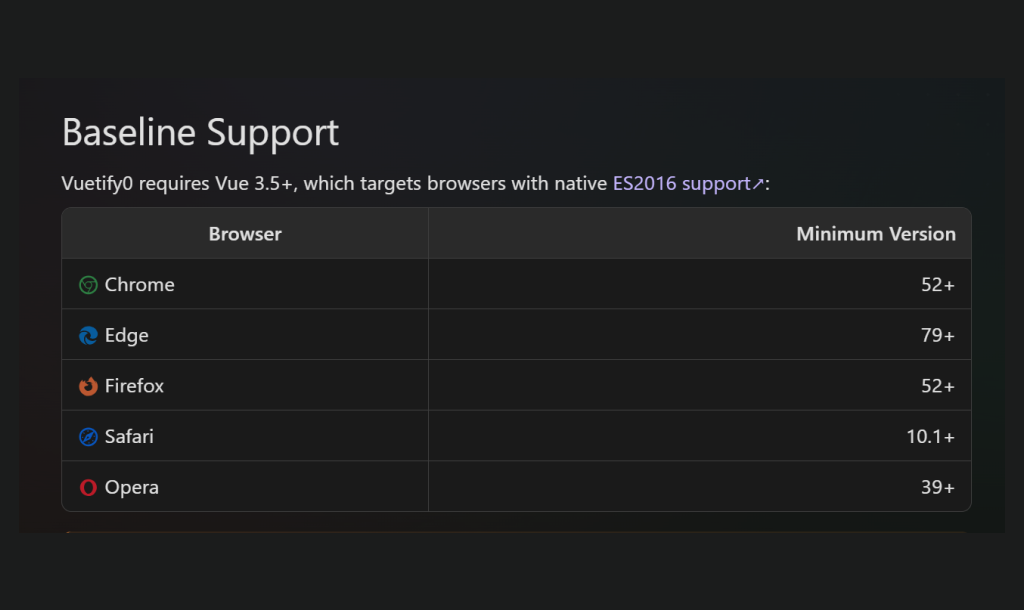
Vuetify0 is built with modern browsers in mind. If you’re using up-to-date versions of Chrome, Edge, Firefox, or Safari, you will have a smooth experience right out of the box. It leans on newer web features, so it doesn’t try to fully support very old browsers, but it does handle missing features gracefully when possible.
To run Vuetify0, you’ll need Vue 3.5 or newer. It also relies on modern JavaScript (ES2016), which sets the baseline for browser compatibility.
Design Principles
- Headless First: The components contain logic and accessibility, but no forced styles
- Slot-Driven: Flexible slots to maximize flexibility
- CSS Variables: All the styles are configurable with CSS variables –v0-*
- TypeScript Ready: Fully typed with generics
- Minimal Dependencies: Needs only Vue 3.5+ (optional for markdown)
- Composable Design: Logic built with Vue 3 composable functions
Conclusion
Vuetify Zero is a brave approach. It sets new standards for UI frameworks in frontend programming.
Instead of providing you with a pre-built interface, it provides you with tools to build one yourself.
If you are a programmer who cares about flexibility, scalability, and design, Vuetify0 is for you.
FAQs
What is Vuetify0?
Vuetify0 is a set of headless UI primitives and composables built for Vue 3. It gives you clean, unstyled building blocks that handle the complex stuff like accessibility, keyboard navigation, and state, so you can focus entirely on design and styling.
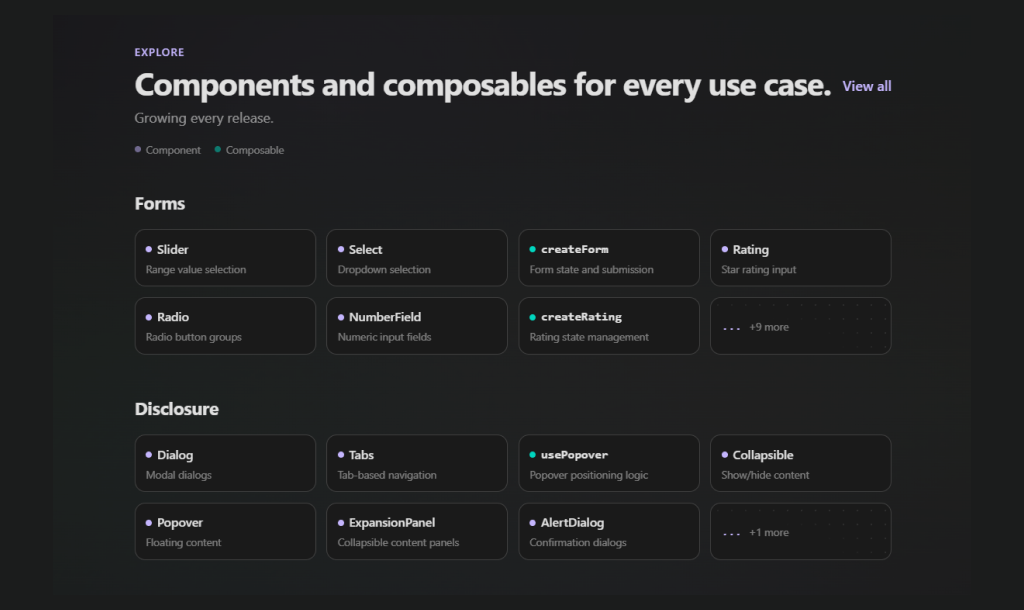
It comes with 35+ composables covering common patterns like selection, forms, and validation, along with ready-to-use headless components such as Dialog, Tabs, and ExpansionPanel.
You get full control over how everything looks, without worrying about the underlying logic.
To get started quickly, just run: pnpm create vuetify0
Do I need Vuetify to use Vuetify Zero?
No, you don’t. Vuetify0 is completely standalone and has no dependency on Vuetify. You can use it in any Vue 3 project without installing Vuetify.
What styling approach should you use for Vuetify0?
Vuetify0 doesn’t enforce any styling. it’s completely style-agnostic. You’re free to use whatever CSS approach you’re comfortable with.
We recommend using UnoCSS for its speed and flexibility, but Tailwind CSS v4, plain CSS, CSS Modules, or even CSS-in-JS all work perfectly fine.
It also provides a theme plugin with CSS variables like –v0-primary and –v0-surface, so you can easily connect them to your own design system.
Most examples in the docs use Tailwind-style utility classes, so if you’re familiar with that, you’ll feel right at home.
Does Vuetify0 support SSR?
Yes, it does. Vuetify0 is fully SSR-safe, so all its composables and components work smoothly with setups like Nuxt, Vite SSR, and other server-rendered apps.
For browser-specific logic, you can use the IN_BROWSER constant to safely guard code that should only run on the client. There’s also a useHydration composable to help manage hydration and avoid mismatch issues.
Plus, observer-based composables like useResizeObserver and useIntersectionObserver automatically skip running on the server, so you don’t have to worry about handling that manually.
Does Vuetify0 support TypeScript?
Yes. Vuetify0 is built with TypeScript and includes full type support out of the box. No extra setup or @types packages needed.
What plugins does Vuetify0 have?
Plugins in Vuetify0 add features that work across your entire app. They use Vue’s provide/inject, so composables can easily access them wherever needed.
Some of the main plugins include:
- createThemePlugin for theming with CSS variables
- createLocalePlugin for handling translations (i18n)
- createStoragePlugin for saving persistent data
- createLoggerPlugin for simple debug logging
There are also plugins for things like breakpoints, hydration, and permissions. You don’t have to use them all, just pick the ones you need and keep your setup clean and lightweight.
Why use composables instead of components in Vuetify Zero?
Components are great when you want ready-made UI patterns. But composables give you more control and flexibility.
With composables, you can build your own components exactly the way you want, mix and match different behaviors and fully control the DOM structure. You’re also only importing the logic you need, which can help keep your bundle size smaller.
In short, components are convenient but composables let you customize everything.
Is Vuetify0 accessible?
Yes, accessibility is built in.
Vuetify0 follows WAI-ARIA patterns, so it includes the right roles, states, and ARIA attributes by default. It also handles keyboard interactions out of the box like using arrow keys for navigation, Enter/Space for actions, and Escape to close elements.
Focus management is taken care of too. For example, it traps focus inside modals, restores focus when they close, and manages focus properly in complex components.
Since it’s headless, you control how everything looks but the accessibility logic is already handled for you.
How do I get started quickly with Vuetify0?
The easiest way is to use the CLI:
pnpm create vuetify0
This sets up a complete project for you with UnoCSS, theming, and example components already configured, so now you can start building right away.
If you already have a project, just install @vuetify/v0 and start using the components and composables directly.
That’s it, no complicated setup needed.





Comments